
Connecting Brevo
Keep your clients in Brevo as contacts with visit, value and demographic fields, so your newsletters and automated campaigns run on a list that is always current.
Connecting Brevo
If you send newsletters or run marketing campaigns from Brevo, Daobook can keep your clients there as contacts. Each client who has opted in to marketing email is pushed across with fields like last visit, total appointments and total invoiced, so your Brevo campaigns and automations run on a list that is always current. Bookings and clinical notes stay in Daobook.
Step 1: Create an API key in Brevo
Log in to Brevo, click your name in the top-right and select Settings, then go to SMTP & API. Click Generate a New API Key, name it (for example "Daobook") and click Generate. Copy the key straight away — it starts with "xkeysib-" and Brevo shows it once.
Step 2: Make sure you have a contact list
In Brevo open Contacts → Lists. If there is no list yet, create one (for example "Daobook clients"). Daobook syncs into a list, so the connect button stays disabled until it finds one in your account.
Step 3: Connect in Daobook
In Daobook go to Settings, open the Integrations tab and click "Brevo CRM & Marketing". Paste the key into "Brevo API Key". The "Select List" dropdown appears and loads the lists from your Brevo account. Choose the list to sync into and click "Connect to Brevo".
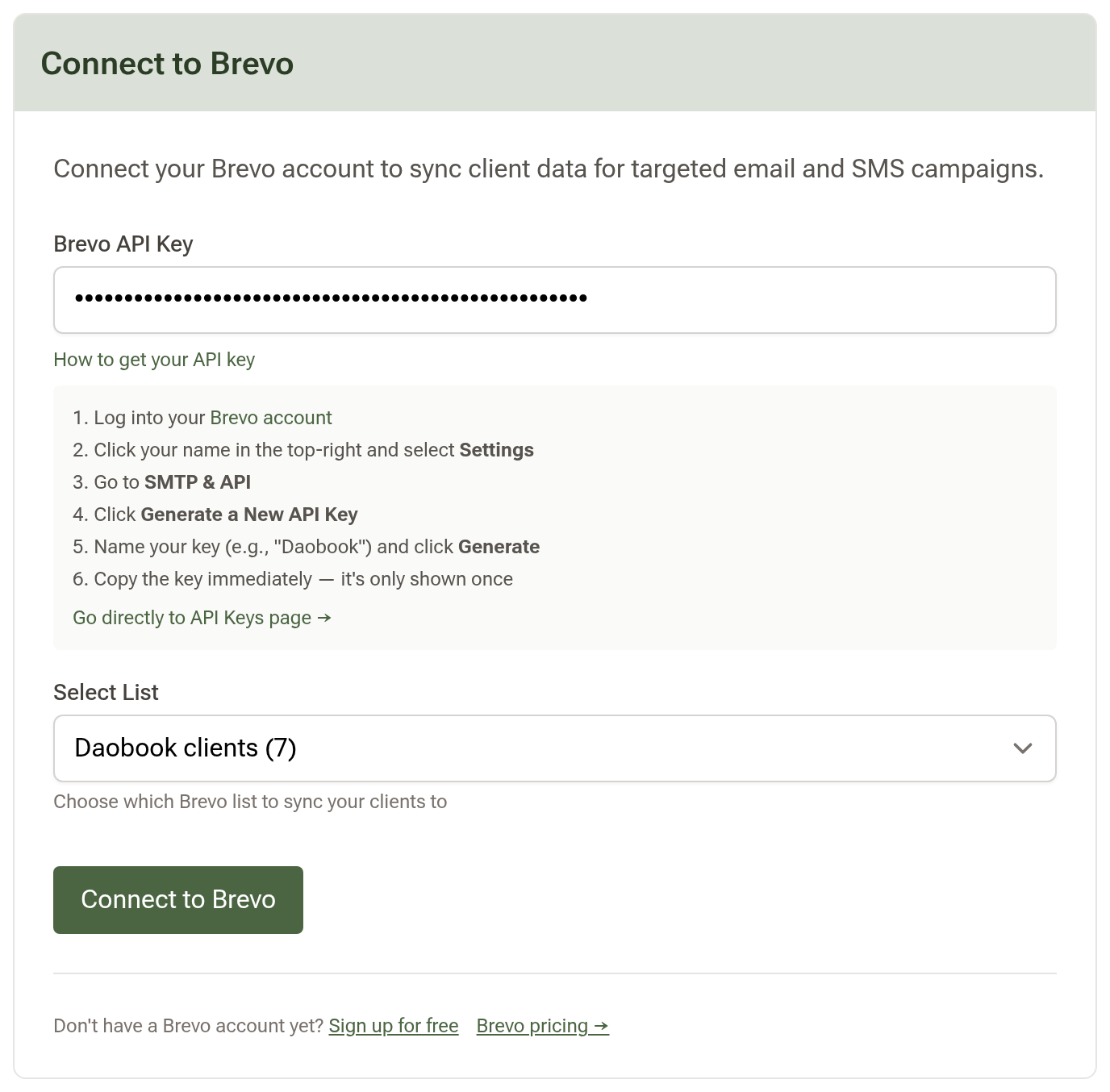
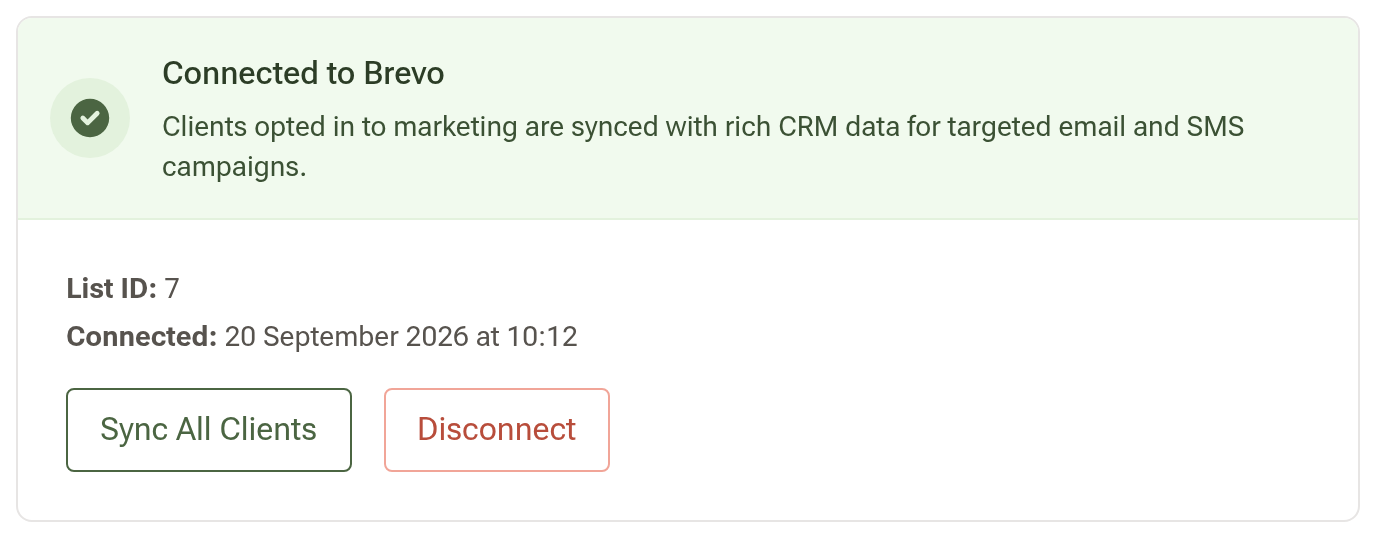
Daobook checks the key, creates its custom attributes in your Brevo account and starts syncing your clients in the background. The card turns green, shows the List ID and when you connected, and gains "Sync All Clients" and "Disconnect" buttons.
Step 4: Build your campaigns on the synced fields
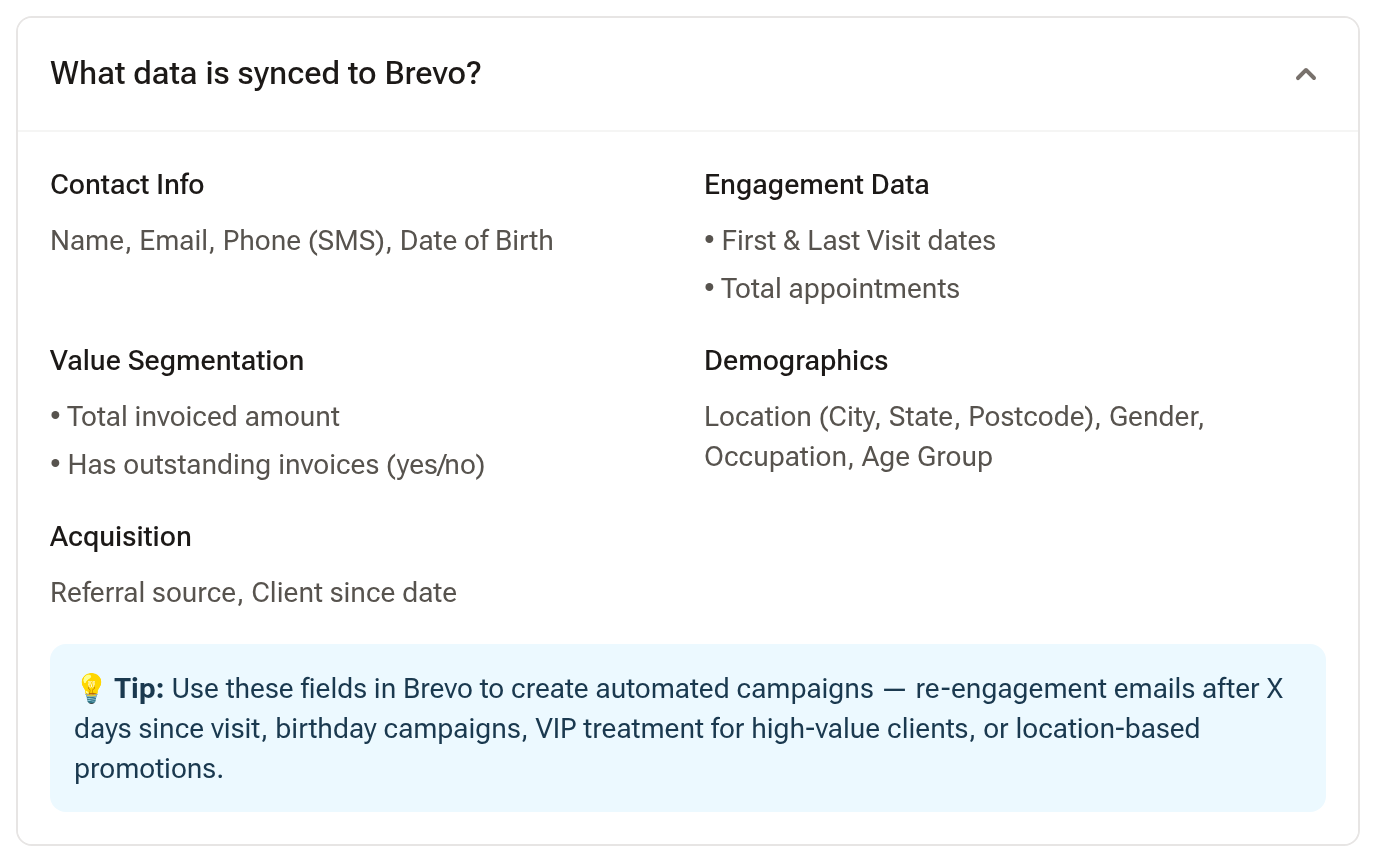
Open Contacts in Brevo and pick your list. Each synced client carries Daobook's attributes — first and last visit, their next appointment and whether one is booked, total appointments, total invoiced, whether they have an outstanding invoice, age group, city, state, postcode, referral source and the date they became a client. Build your automations on those: a re-engagement email a set number of days after LAST_VISIT, a birthday campaign from DOB, a promotion for one POSTCODE, or a call from reception for anyone whose HAS_NEXT_APPOINTMENT is still "no" a week after a recall text.
The "What data is synced to Brevo?" panel on the settings page lists every field.
Tips:
- Only clients with an email address and Email ticked under Marketing in their Communication Preferences are synced. Brevo can text them only if SMS is ticked there too and they haven't replied STOP to your clinic's texts; anyone else is marked in Brevo as not to be texted. Clients at a location whose client list is kept private are never sent.
- Unticking a client's marketing email, or archiving them, removes them from your Brevo list. Editing their profile, or a booking being made, moved or cancelled, re-syncs them automatically.
- Daobook syncs to one marketing CRM at a time. If HighLevel is connected, disconnect it first.
- If the list dropdown says Brevo is blocking Daobook's server, your key is fine but your Brevo account has its Authorised IPs security restriction switched on. In Brevo go to Security → Authorised IPs, switch it off, then paste your key again.