
Using Daobook as a Chinese Medicine Student
Sign up for a free student account, see what it includes, and switch to a practitioner account once you are registered with AHPRA.
Using Daobook as a Chinese Medicine Student
Daobook is free while you study. This walks you through signing up with a student account, what it includes, and how to switch to a practitioner account once you're registered with AHPRA.
Step 1: Start your sign-up
Go to daobook.com.au and click "Start Trial" in the top menu.
Step 2: Choose Chinese Medicine Student
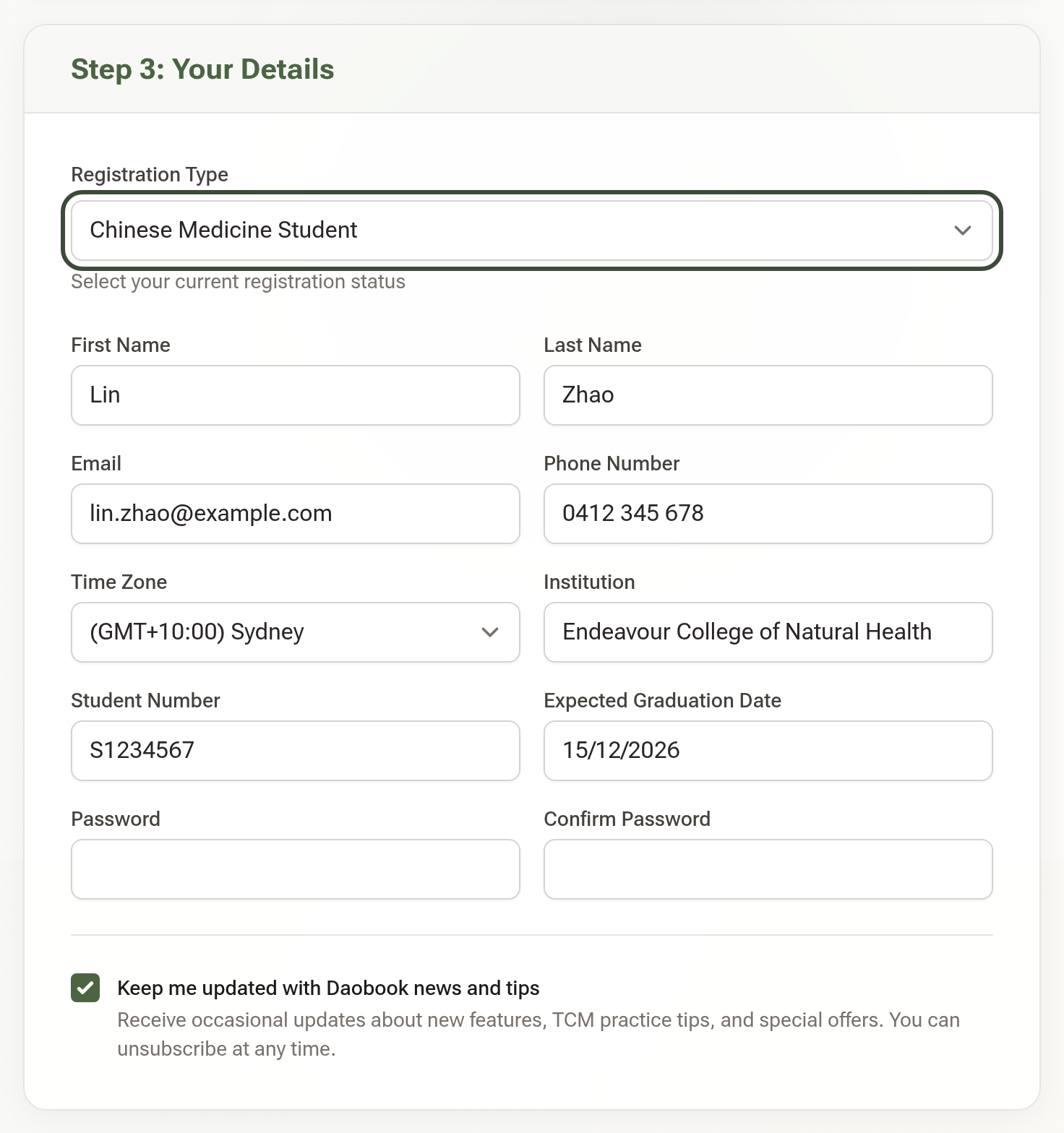
Under Step 3: Your Details, set Registration Type to Chinese Medicine Student. Three more fields appear: Institution, Student Number and Expected Graduation Date. Fill them in with the rest of your details and choose a password.
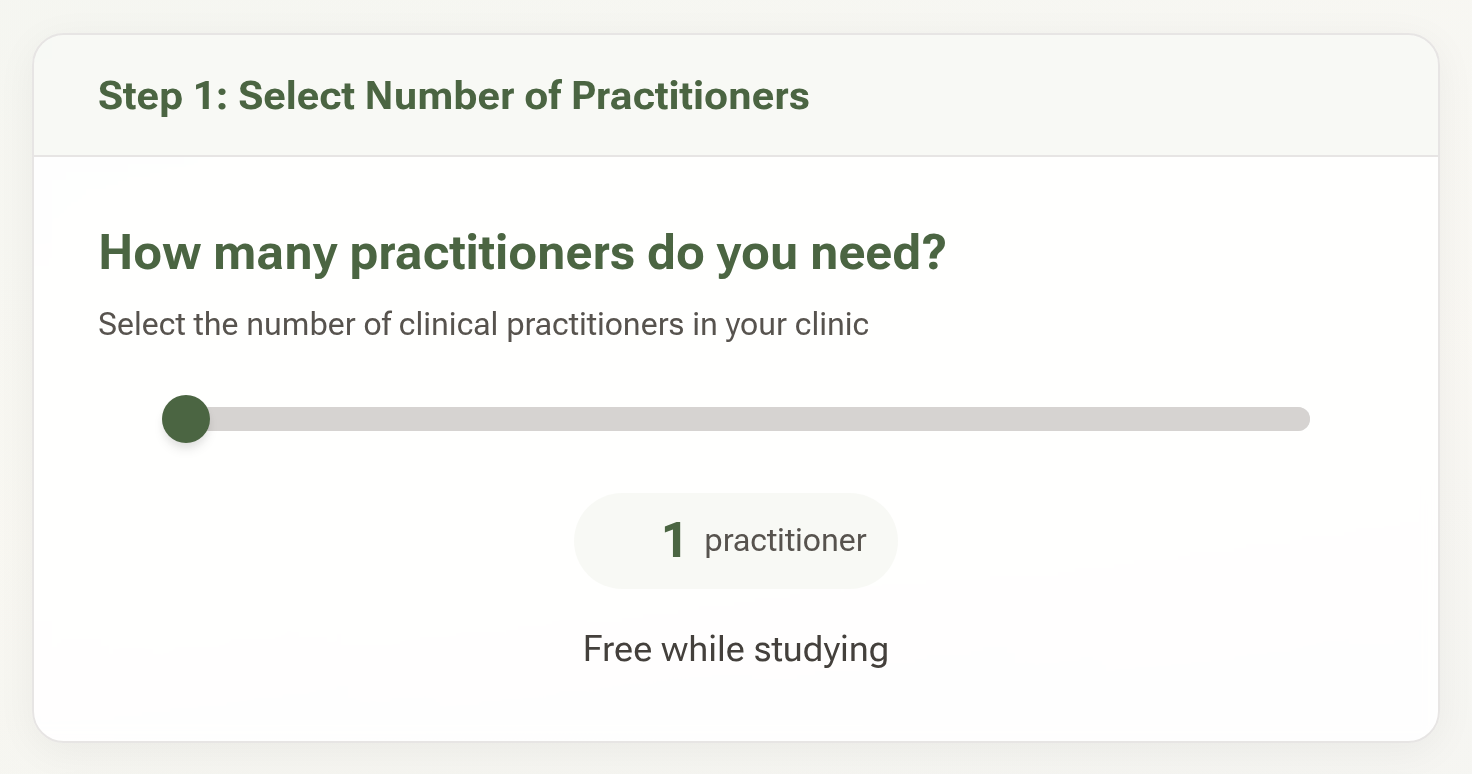
Back up in Step 1, the price now reads Free while studying. The promotional code step disappears, because you won't need one.
Step 3: Create your account
Click "Start Free Trial" at the bottom of the form. You'll go straight to your calendar. You don't need a card, and the account doesn't run out while you're a student.
What a student account includes
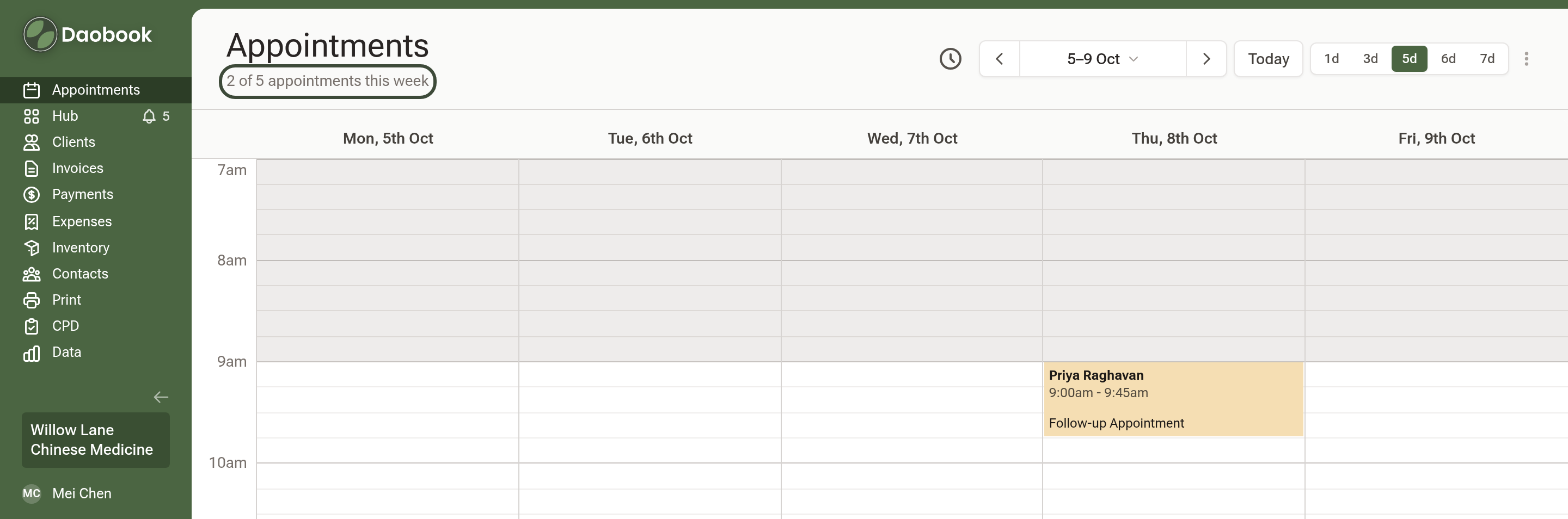
Everything on the Solo plan, with a limit of 5 appointments a week (Monday to Sunday; cancelled appointments don't count). The calendar shows how many you've used under the Appointments heading. Data imports aren't available until you're registered.
Step 4: When you're registered with AHPRA
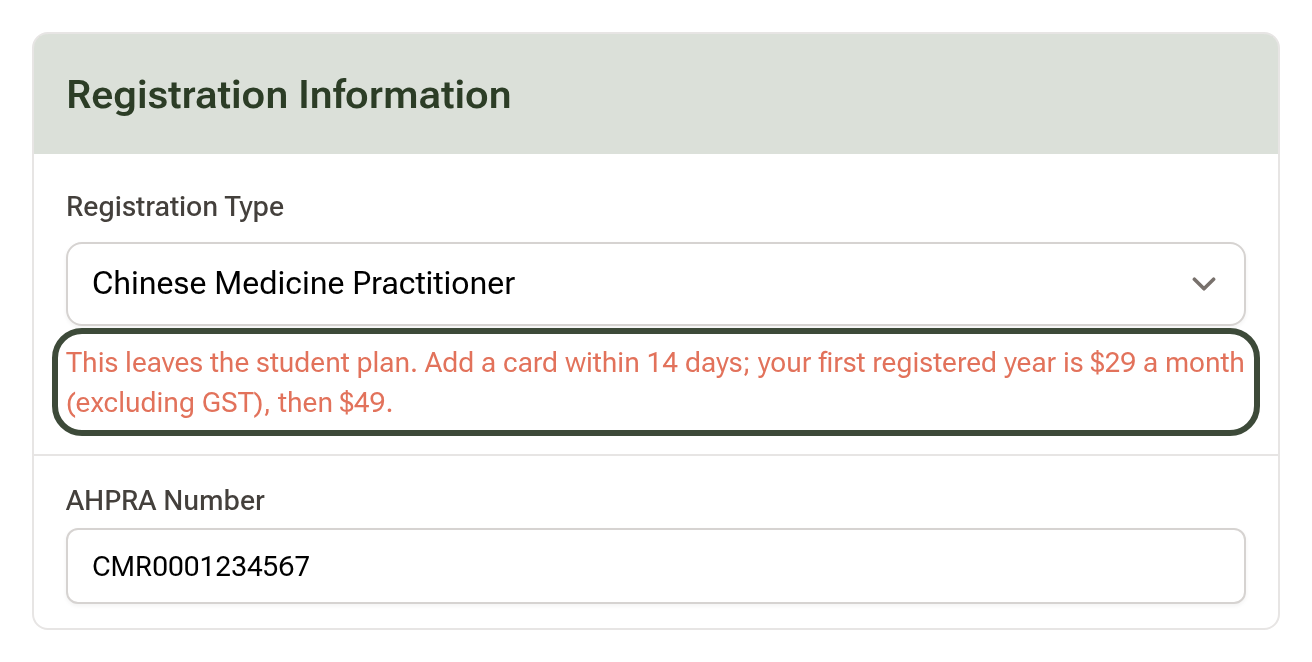
Go to Settings → Practice Info → Practitioner Details and click "Edit Details". Change Registration Type to Chinese Medicine Practitioner and enter your AHPRA Number. You can't make the switch without one. A note under the field explains what happens next. Save your changes.
Step 5: Add a card within 14 days
Go to Settings → Billing & Payments → Payment Methods and save a card. Your first registered year is $29 a month (excluding GST) instead of $49, and the 5-a-week limit lifts as soon as the card is saved. After twelve months your subscription moves to the standard Solo price.
Tip: When you register, switch to Chinese Medicine Practitioner only. Choosing any other registration type ends the student plan with a standard 14-day trial at full price, and the student plan can't be restored.