
When a patient asks for a correction
Log a request to correct the record, answer it by accepting or declining, keep the patient's statement with the record, and log the times the record leaves the clinic.
When a patient asks for a correction
A patient can ask you to correct something in their record. Daobook keeps the request in their words, the 60-day deadline, your answer and any statement of disagreement together on the client's profile, and carries them in every copy of the record. The same place logs each time the record leaves the clinic outside their care and billing.
Step 1: Log the request
Open the client's profile, click Legal & Compliance in its side menu, and under Corrections asked for click Log a correction request. Enter the day it was received, what it is about (Their details, A visit, or Something else), what they want corrected in their own words, and how they asked. The answer-by day is 60 days on. Click Log request.
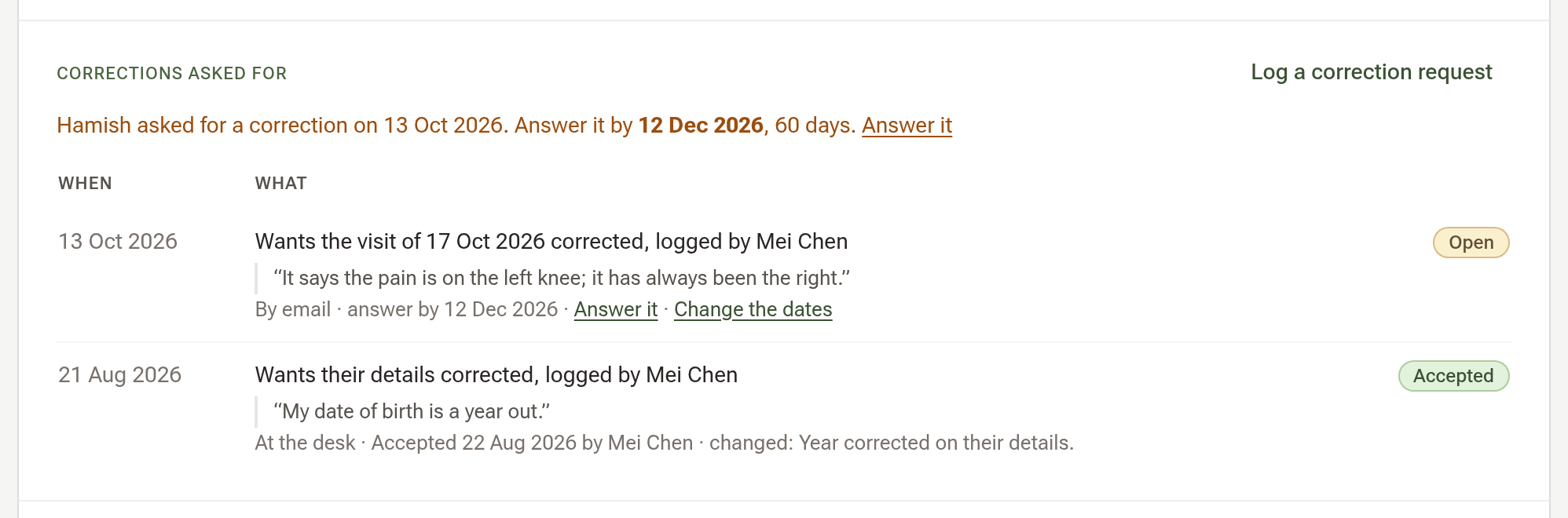
Step 2: Answer it
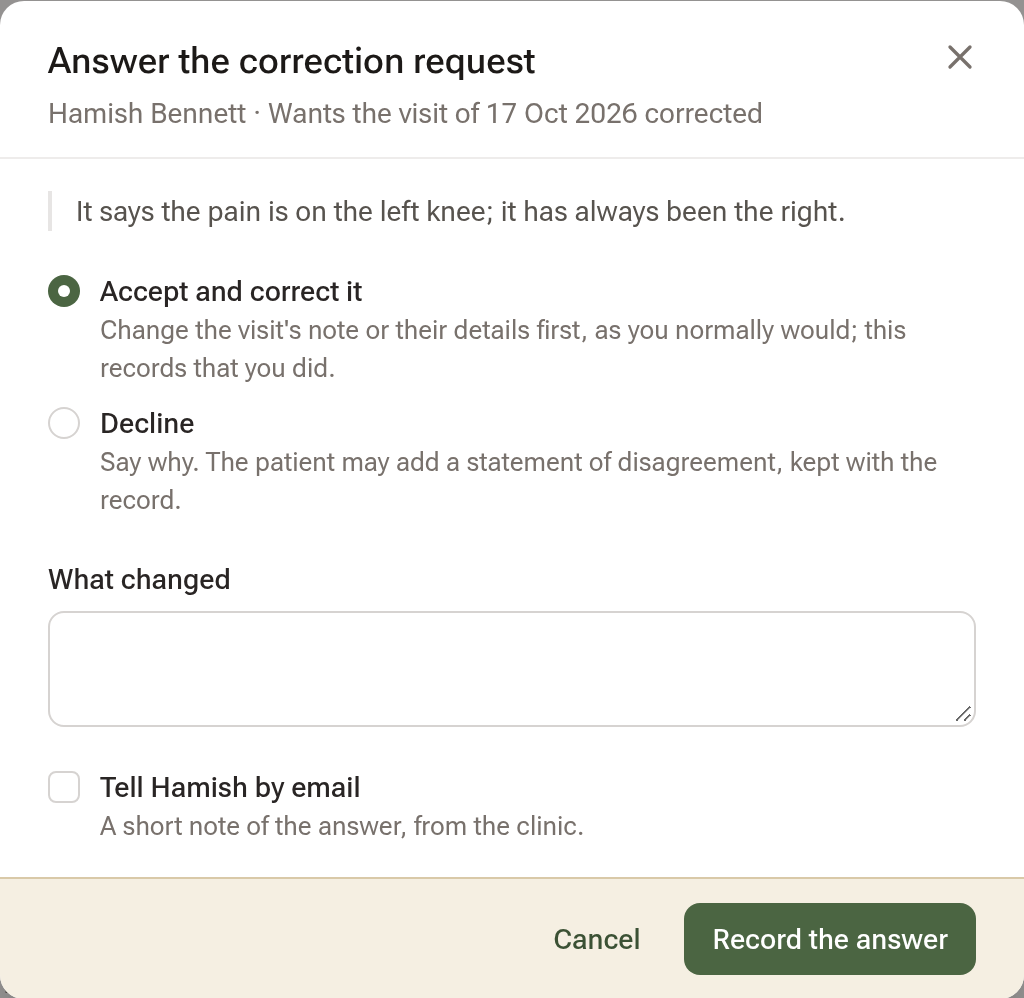
Click Answer it on the amber line. Choose Accept and correct it (change the visit's note or their details first, as you normally would, then note what changed) or Decline (say why; paste or upload the patient's statement of disagreement if they send one). Tick Tell … by email to send them a short note of the answer. Click Record the answer.
Step 3: Log a disclosure
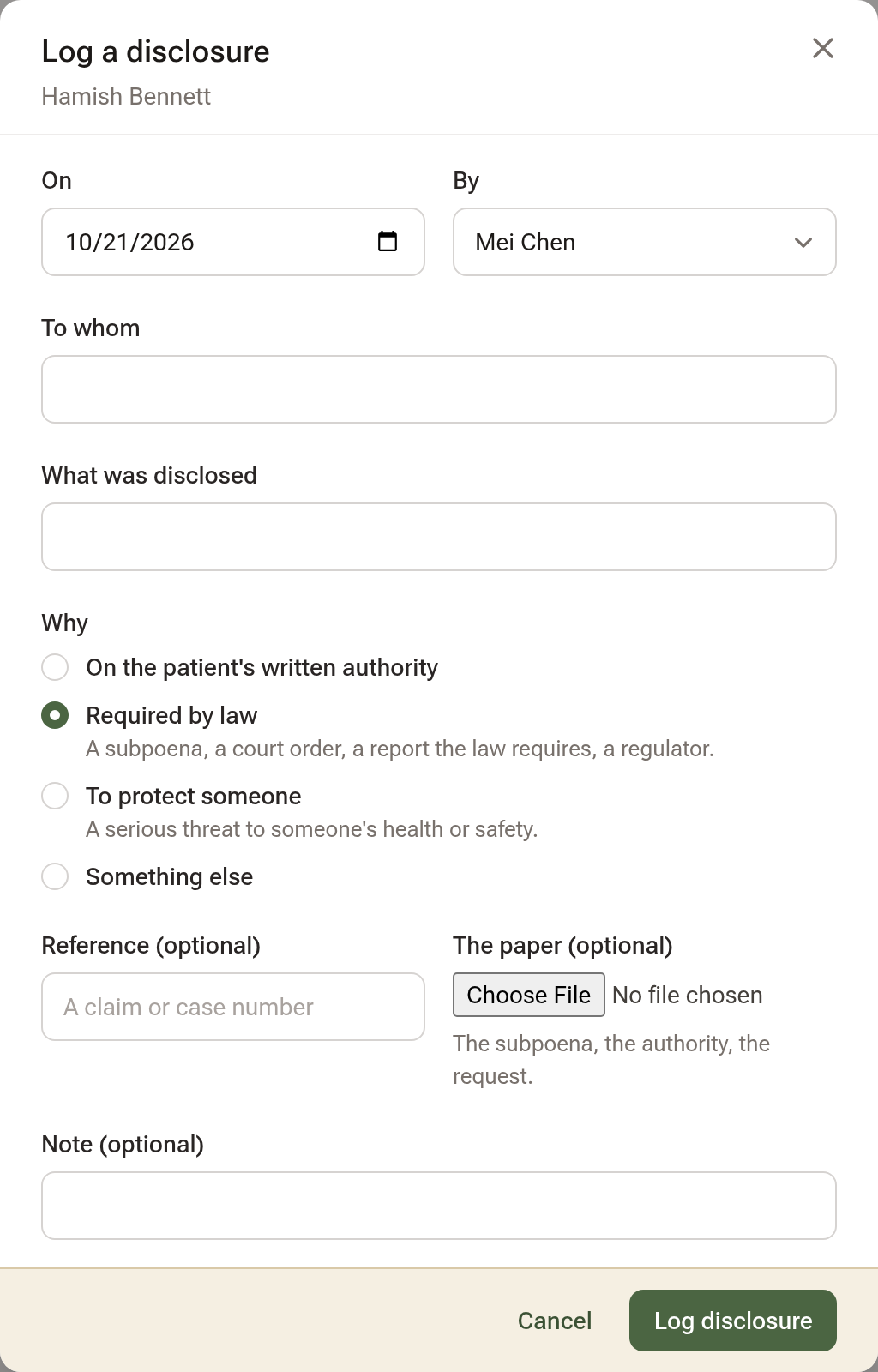
When the record goes outside the clinic — a subpoena, a report the law requires, a release on the patient's written authority — click Log a disclosure under Disclosures: the day, who disclosed it, to whom, what, why, and the paper. A copy sent to someone else from Their record is logged here by itself.
Six-year report beside the part prints the list for a patient who asks who their record has gone to.
Tips:
- Anyone at the desk can log a request or a disclosure; answering and the report need access to the notes.
- Referrals and funder claims are care and billing, not disclosures.