
Connecting your website with the Daobook API
Make an API key for your own website, app or WeChat Mini Program, hand it to your developer, and add a webhook so your site hears about changes.
Connecting your website with the Daobook API
The Daobook API lets your own website, app or WeChat Mini Program read what you offer for online booking and make, move and cancel bookings under your online-booking rules. Your developer builds the connection; you make the key it uses and keep it in your hands.
Prerequisites
- You are the account owner. Only the owner sees the Developer API section.
- The API is switched on for your business. It is in early access: email admin@daobook.com.au from your account's address with your business name and what you are building, and we switch it on.
Step 1: Open the Developer API section
Click "Settings" in the sidebar, open the "Integrations" tab and click "Developer API".
Step 2: Make a key
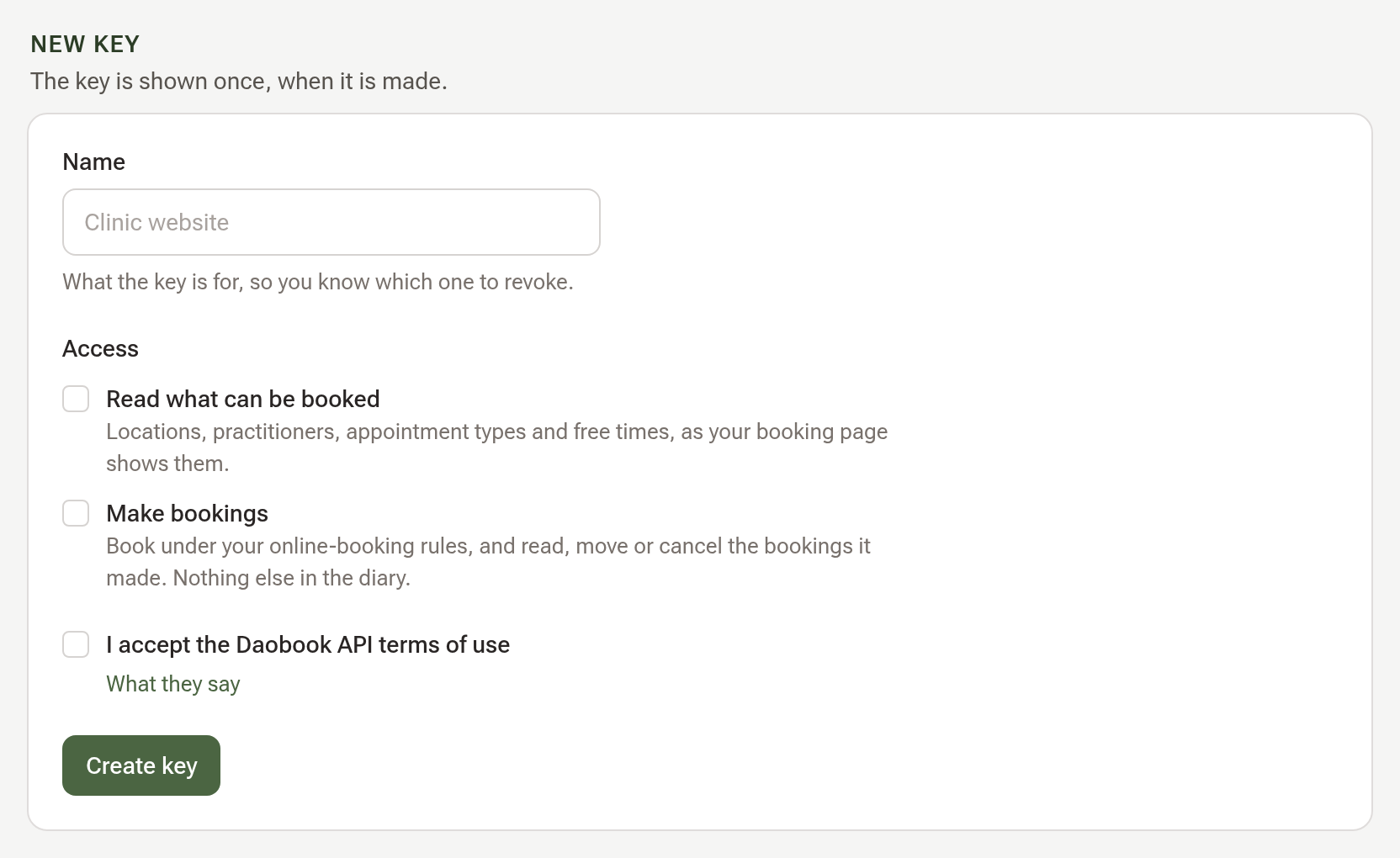
In New key, give the key a Name that says what it is for, such as "Clinic website". Under Access, tick "Read what can be booked" and "Make bookings". If your business has several locations, choose All locations or Only some locations and tick them. The first key asks you to tick "I accept the Daobook API terms of use". Click "Create key".
Step 3: Copy the key once
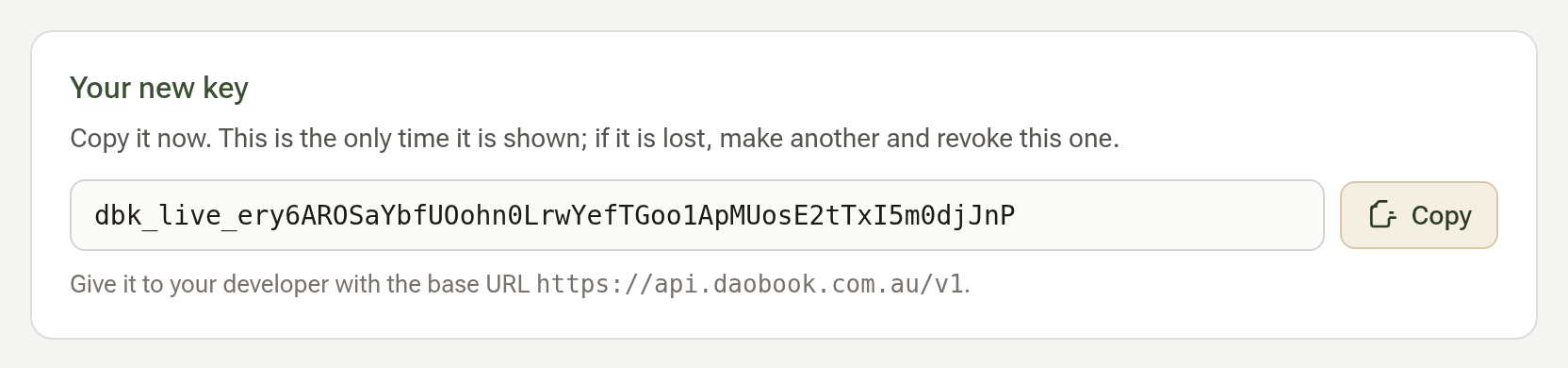
The key appears in Your new key with a Copy button. This is the only time it is shown, so copy it now and pass it to your developer in a safe way. If it is ever lost, make another and revoke this one.
Step 4: Give your developer the details
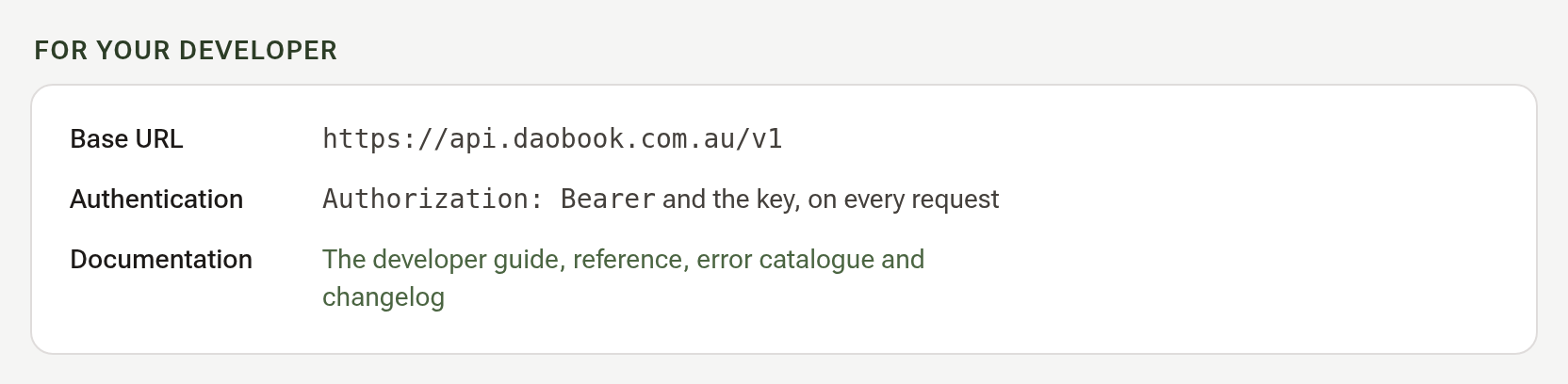
The For your developer group has everything they need: the base URL, how the key is sent, and the link to the developer documentation at daobook.com.au/developers. The key belongs on your server, never inside a web page or an app package.
Step 5: Add a webhook endpoint
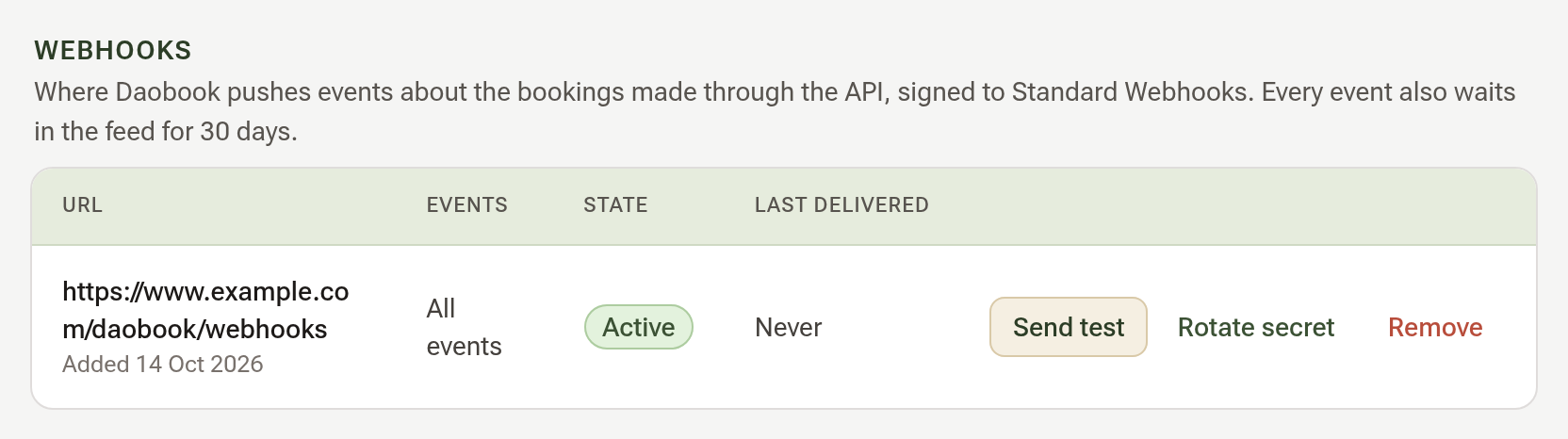
If your developer wants Daobook to tell your site when a booking is moved or cancelled, they give you an https address. In Webhooks, enter it under New webhook endpoint, choose All events or Only some events, and click "Add endpoint". The endpoint's signing secret is shown once; copy it for your developer. Send test on the endpoint's row sends a test event, and its result appears under Recent deliveries.
Tips:
- Make one key for each piece of software, so you can revoke one without touching the rest.
- If you think a key has leaked, click "Revoke" on its row straight away; everything using it stops at once. Then tell us at admin@daobook.com.au.