
Keeping a visit apart (California)
For clinics in California: mark a visit about contraception, abortion or gender-affirming care so it opens only to the people you authorise, only from inside California.
Keeping a visit apart (California)
California law has Daobook keep notes about contraception, abortion or gender-affirming care apart from the rest of a patient's record. At a clinic whose practice address is in California, you mark such a visit with one tick; it then opens only to the people you authorise, only from inside California, and leaves every other list. Nothing here appears for a clinic elsewhere.
Step 1: Mark the visit
Open the visit. On a finalised visit, click Keep this visit apart in the header; while writing a visit, tick Keep this visit apart at the foot of the editor. The visit then carries a grey Kept apart pill, and its prescriptions, points, files and recording go with it.

To keep a whole course of care apart, tick Keep this case apart on the case's form instead: every confirmed visit in the case is kept apart with it.
Step 2: Find it under Kept apart
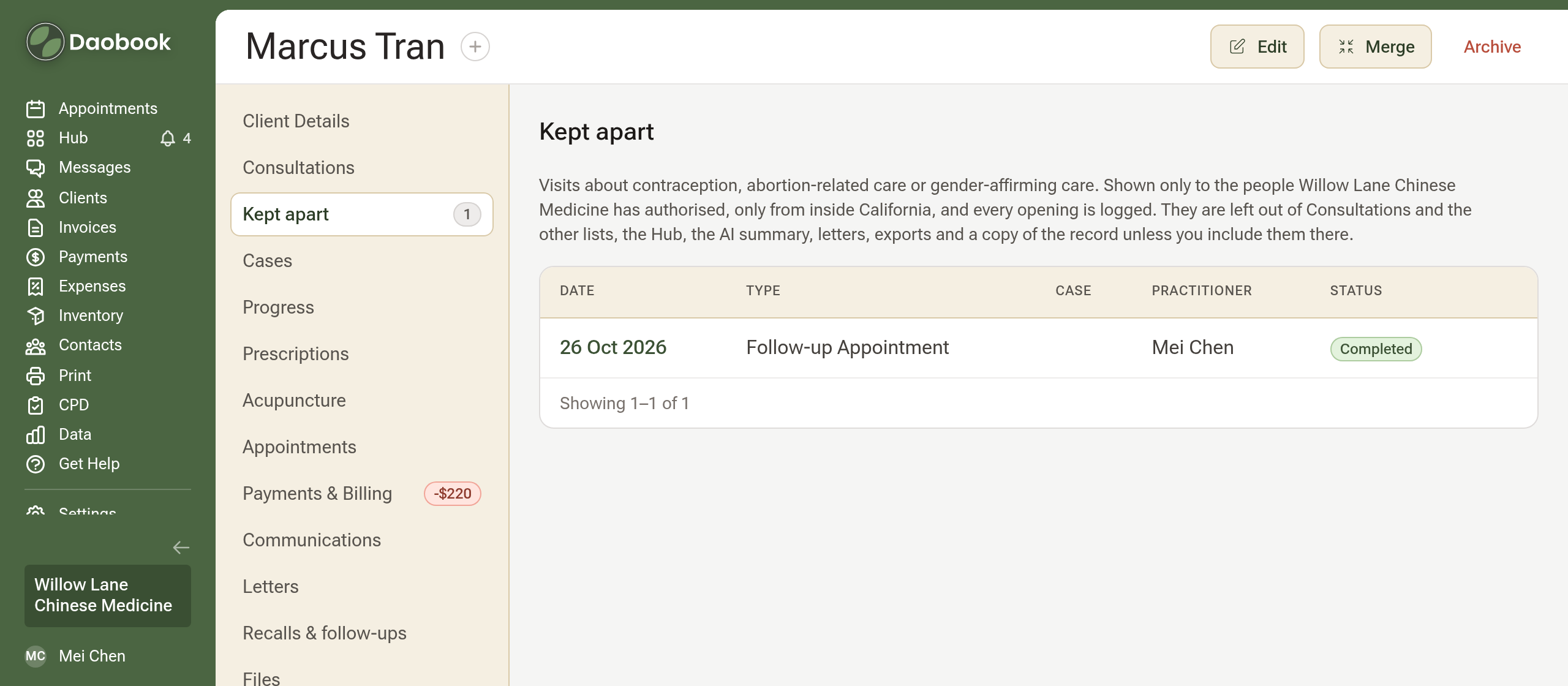
The visit leaves Consultations. For anyone who may open it, the client's side menu gains a Kept apart row under Consultations, with the count; its page lists those visits as Consultations does. Everyone else sees no row and no count.
Step 3: Choose who can open them
You, as the owner, always can, and the practitioner who wrote a visit always opens that visit. For anyone else, open Settings → Team & Clinics → Team Members & Invites, open the member, click Edit on Role & Access Settings, tick Can open visits kept apart and save. It is offered for admins and practitioners, and is off until you tick it.
Step 4: Only from inside California
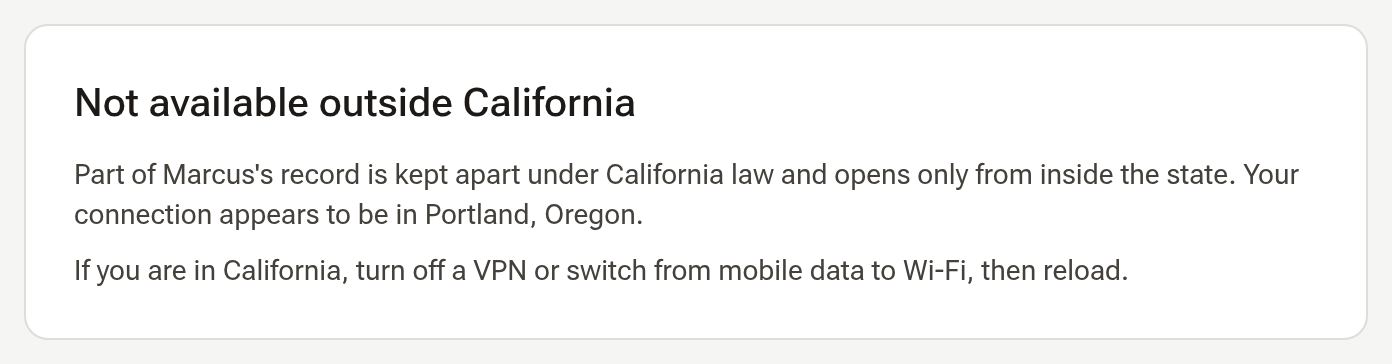
Kept-apart visits open only from inside California, judged from where the connection comes from. Elsewhere, even you see a page saying so, with the state the connection appears in. If you are in California and see it, turn off a VPN or switch from mobile data to Wi-Fi, then reload.
Step 5: See how it stands
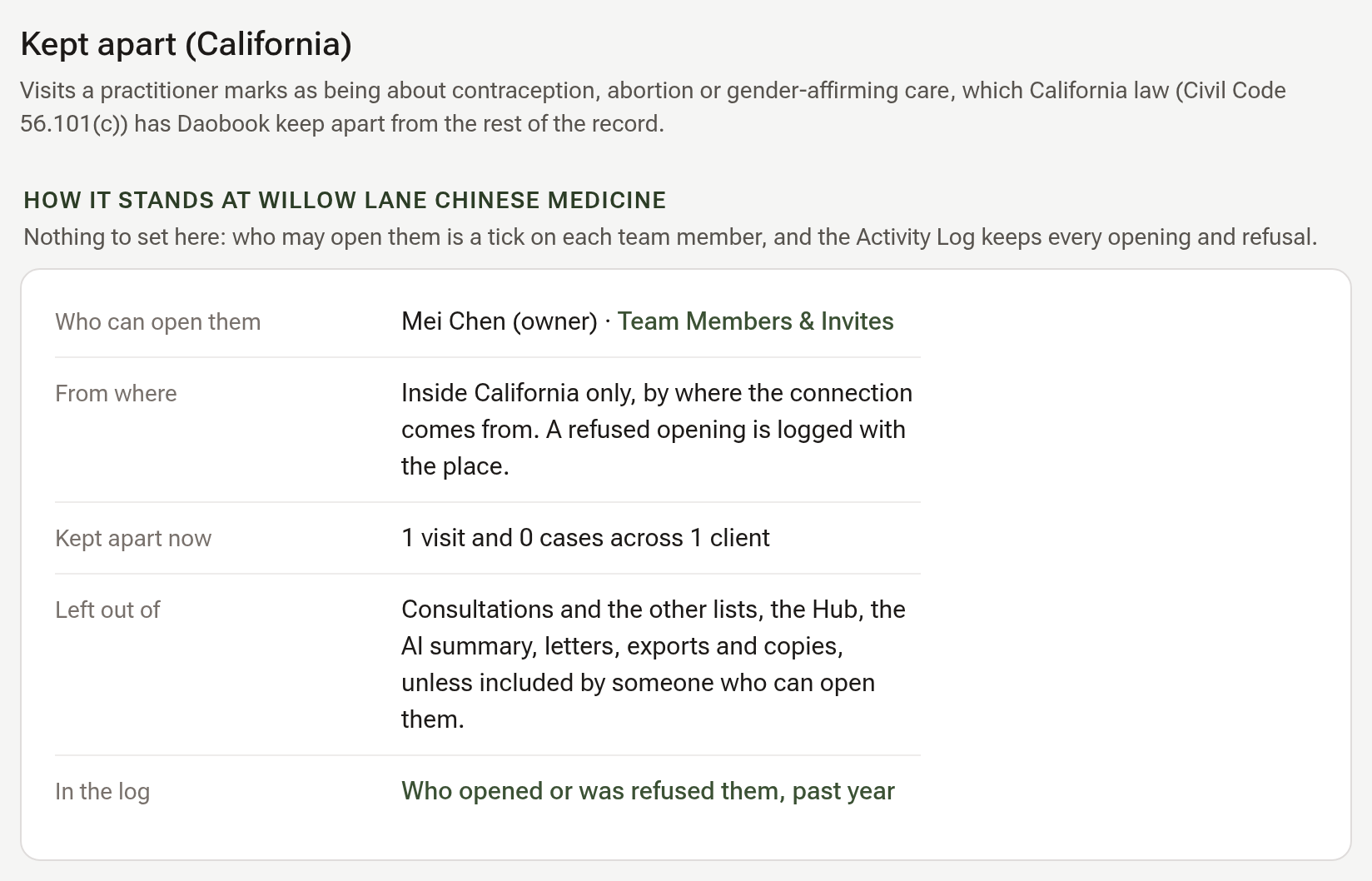
Settings → Security → Kept apart (California) says who can open them, from where, how many visits and cases are kept apart, what they are left out of, and links to the Activity Log's Kept apart filter, where every opening and every refusal is a line.
Tips:
- A copy of the record leaves kept-apart visits out unless you tick Visits kept apart on the copy form, which is offered only to someone who may open them, from California.
- To release a visit, click Stop keeping it apart on its page; a visit kept apart with its case is released by releasing the case.